


Learn more about a contact with AI enrichment
Get a brief on the person and their company, from public sources, inside Habsy.
In this article
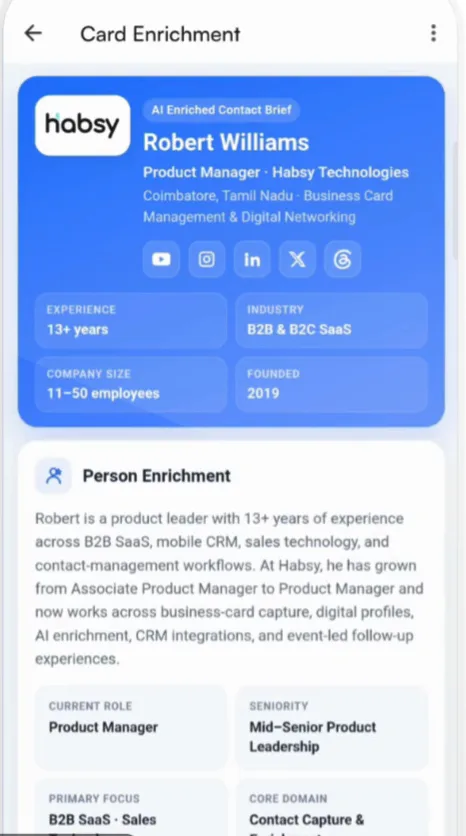
Enrichment looks up the person and their company from public sources and adds what it finds to the contact as an AI Enriched Contact Brief. It helps you understand who you met before you follow up.
Enrich a contact
- One contact: open the contact and tap Ready to discover more at the top.
- Every contact you save: turn on Enrich this user under Preferences on the review screen, or as a default in Card Preferences.
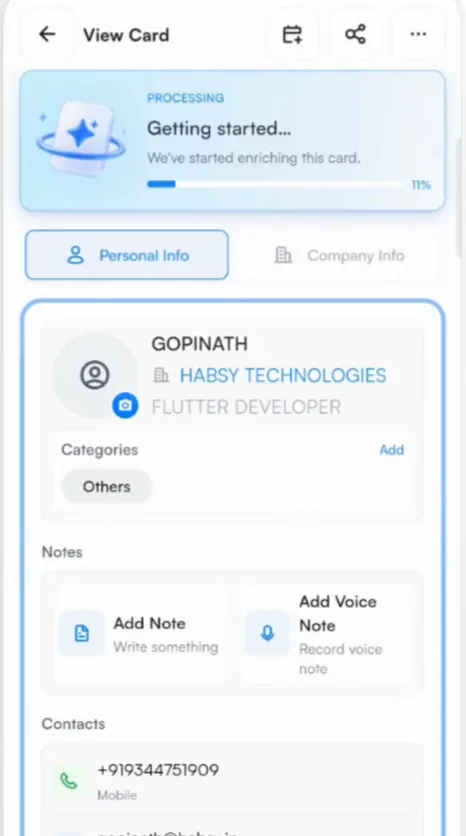
While Habsy works, the contact shows Getting started with a progress bar. You can leave the contact and come back.
What the brief includes
The layout depends on how much Habsy finds. A full brief has:
- a snapshot of the person: role, company, location and profile links
- quick facts such as experience, industry, company size and when the company was founded
- a summary of the person, their current role, seniority and focus
- career and education
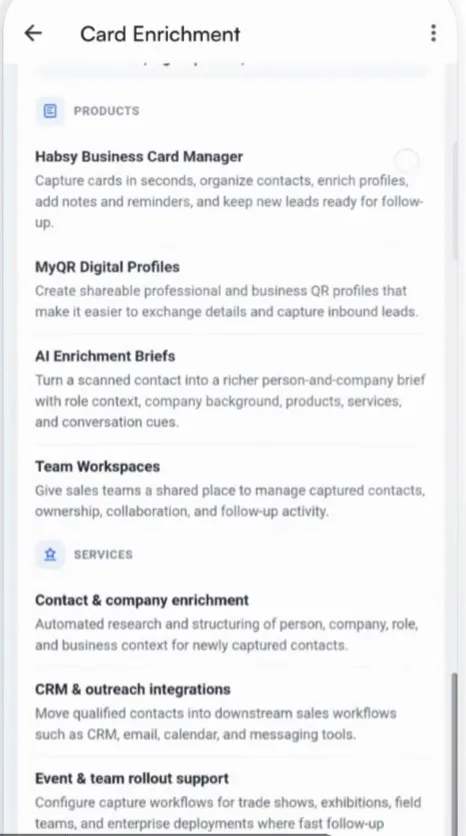
- a company profile, with its products and services
- the company's contact details
When Habsy cannot verify something, the brief says so rather than guessing.
Good to know
- Briefs open inside Habsy. They cannot be shared or downloaded.
- Enrichment needs an internet connection and runs in the background.
Related articles
Still need help?
Email us with your account email and a short description of the issue. We reply within 1 to 2 business days.