


Send emails from Habsy Platform
Connect Gmail or AWS SES, write with AI or a template, and send to one or many contacts.
In this article
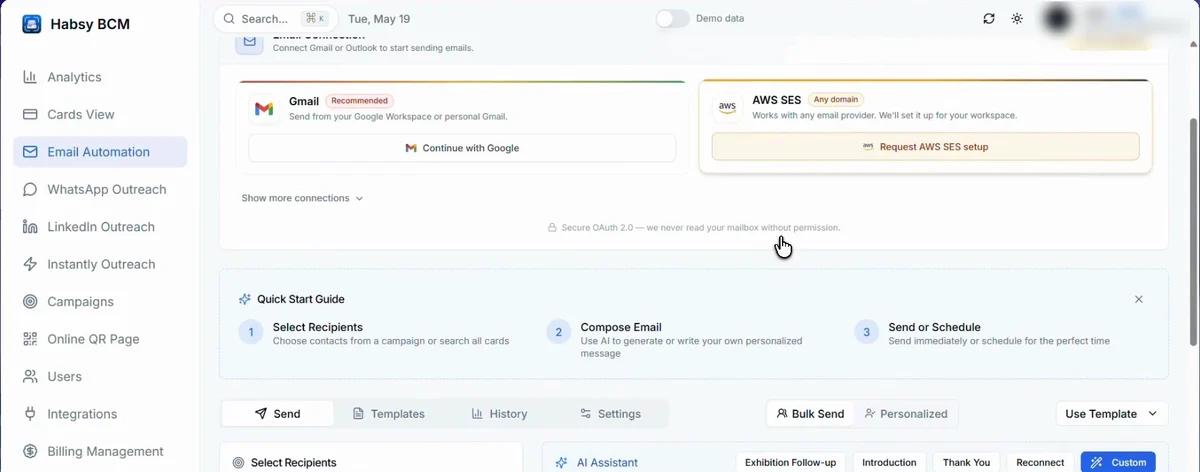
Connect your email
Emails go out from your own email account. The first time you open Email Automation, choose how to connect:
| Gmail | Click Continue with Google and sign in with your Google Workspace or personal Gmail account. |
|---|---|
| AWS SES | Works with any email provider. Click Request AWS SES setup and we set it up for your workspace. |
Click Show more connections for other options. Connections use secure sign-in, and Habsy never reads your mailbox without your permission.
Send an email
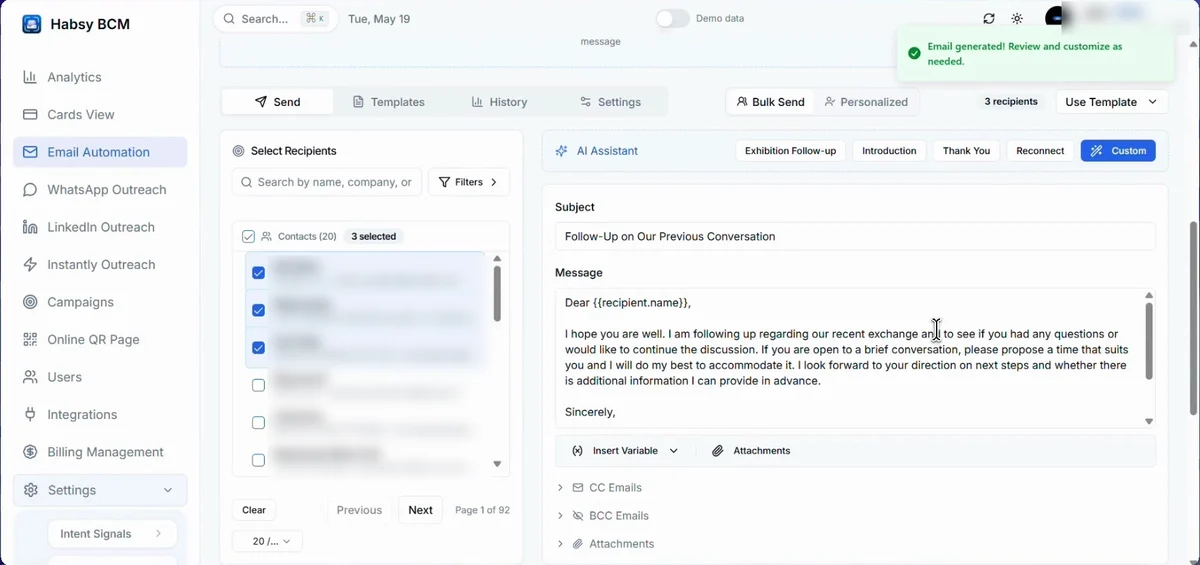
- Open Email Automation and stay on the Send tab.
- Choose Bulk Send to send one email to everyone you select, or Personalized to go through your contacts one at a time.
- Under Select Recipients, search or filter and tick the contacts you want. You can also pick everyone from a campaign.
- Write the email. Pick a ready-made email under AI Assistant (Exhibition Follow-up, Introduction, Thank You or Reconnect), choose Use Template, or write your own.
- Click Insert Variable to add details that change for each person, such as their name, company or designation.
- Add CC Emails, BCC Emails or Attachments such as brochures and presentations if you need them.
- Check the Live Preview, then send now or schedule it for later.
Write it with AI
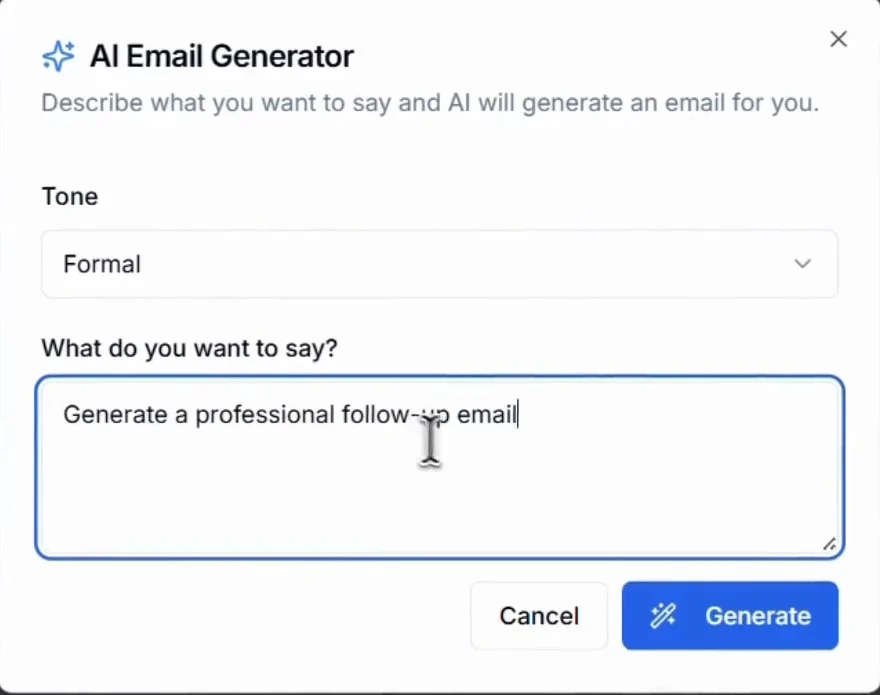
- Under AI Assistant, click Custom.
- Choose a Tone: Formal, Informal or Casual.
- Under What do you want to say?, describe the email, for example "a follow-up after our meeting at the expo".
- Click Generate, then review and change anything you want.
Save emails you use often as templates on the Templates tab. Everything you have sent is on the History tab.
Related articles
Send WhatsApp messages from Habsy PlatformHabsy PlatformCreate a campaign for an eventHabsy PlatformConnect your CRM and Calendly on Habsy PlatformHabsy Platform
Still need help?
Email us with your account email and a short description of the issue. We reply within 1 to 2 business days.