


Scan without internet
Keep capturing when the hall Wi-Fi is busy. Cards process once you are back online.
Event halls often have weak Wi-Fi and no mobile signal. Habsy keeps capturing anyway.
- Capture works offline. Scan cards, batches and badges as usual. Habsy saves the captures on your phone.
- Processing needs internet. Reading the card, enrichment, templates and CRM sync run once your phone is back online.
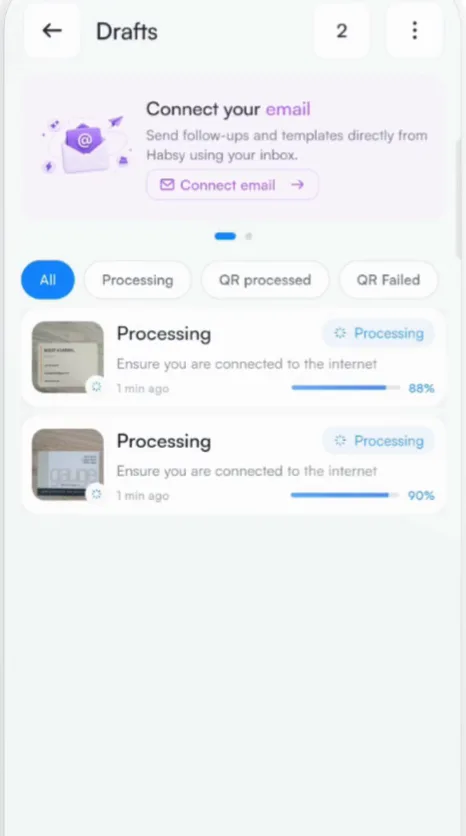
- Track progress in Drafts. Captures waiting for a connection show Processing, with the reminder to make sure you are connected to the internet.
Tip
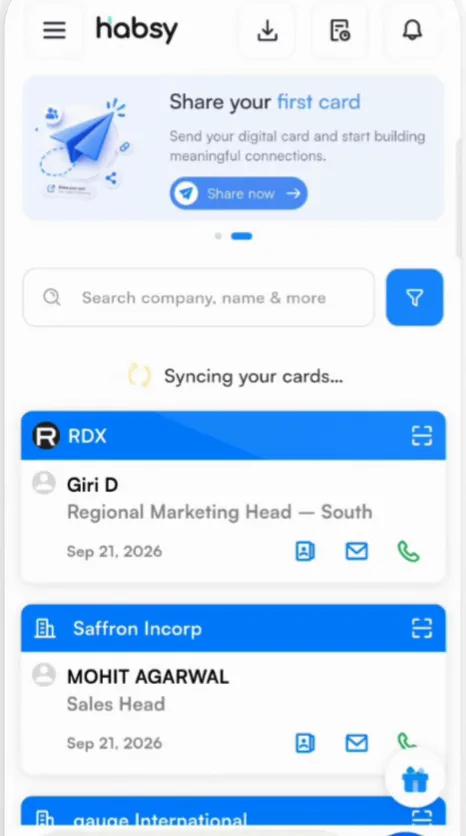
Leave Habsy open for a minute once you reconnect. You will see Syncing your cards, then Sync complete on Home.
Related articles
Still need help?
Email us with your account email and a short description of the issue. We reply within 1 to 2 business days.