


Sync with your phone contacts and calendar
Keep Google or Outlook contacts up to date, and connect Google, Outlook or Zoho calendars.
In this article
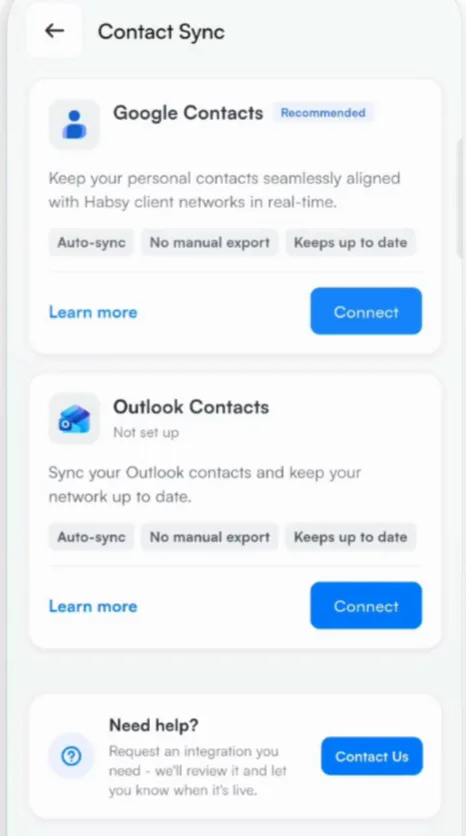
Contact Sync
Connect Google Contacts or Outlook Contacts to keep your contacts aligned with Habsy automatically, with no manual export.
- Go to Settings, tap Integrations and choose Contact Sync.
- Tap Connect next to Google Contacts or Outlook Contacts and sign in.
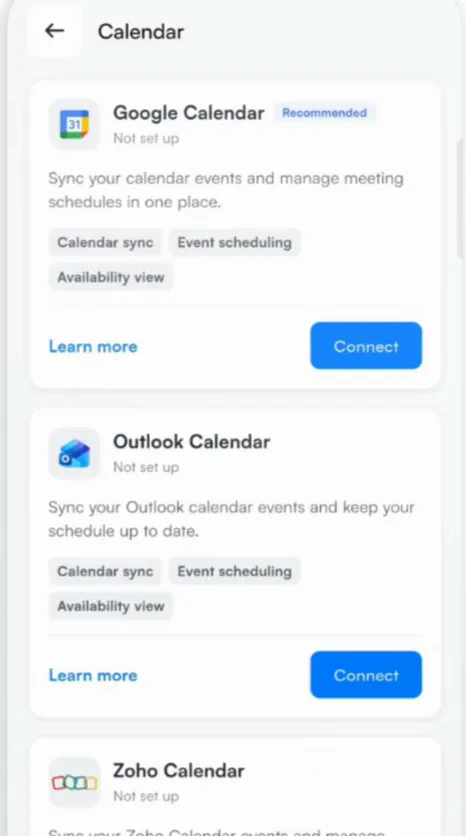
Calendar
Connect Google Calendar, Outlook Calendar or Zoho Calendar to keep your meetings and schedule in one place.
- Go to Settings, tap Integrations and choose Calendar.
- Tap Connect next to your calendar and sign in.
Tip
Just need a contact on your phone? Export it as VCF, which imports straight into your phone's contacts app. See Export your contacts.
Related articles
Still need help?
Email us with your account email and a short description of the issue. We reply within 1 to 2 business days.