


Assign a contact to a teammate
Share a contact with one or more teammates and set a reminder to follow up.
Assign a contact when someone else on your team should follow up. Assigning is manual: you choose who gets each contact.
- In Cards View, open the contact.
- Click Assign / Set Reminder.
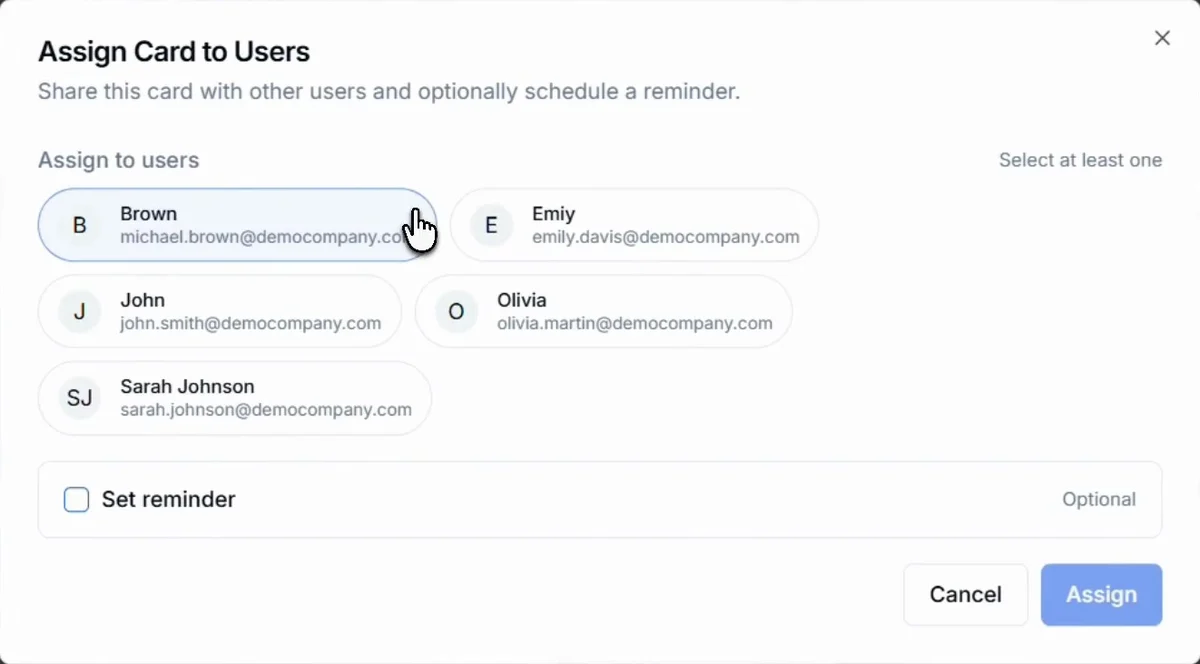
- Under Assign to users, select one or more teammates.
- To remind them to follow up, tick Set reminder and choose when. This is optional.
- Click Assign.
Related articles
Find and manage contacts in Cards ViewHabsy PlatformSet follow-up remindersOrganizing contactsInvite teammates and see their activityHabsy Platform
Still need help?
Email us with your account email and a short description of the issue. We reply within 1 to 2 business days.