


Create a campaign for an event
Set up a campaign before an event so every contact your team captures there is grouped under it.
Create a campaign for each event before your team starts scanning. Every contact captured at the event is grouped under the campaign, so your events never mix.
Create a campaign
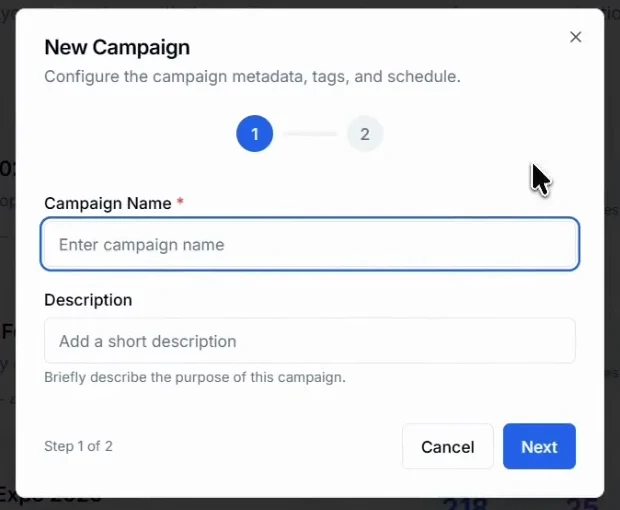
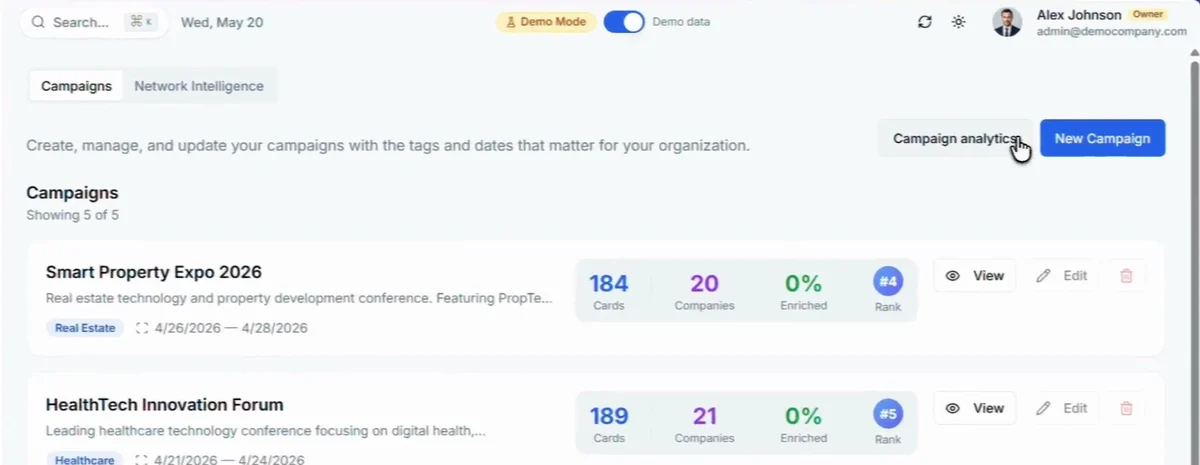
- Open Campaigns and click New Campaign.
- Enter the Campaign Name and a short Description, then click Next.
- Choose the categories and the dates for the event, then save.
Your campaigns
Each campaign shows its category, its dates, and how many cards and companies were captured, how many contacts are enriched and its rank. Click View to open it, or Edit to change it.
Inside a campaign you see its totals, when cards were collected, who captured them, a map, and every contact. Click Enrich next to a contact to fill in more details. To see the full report for the event, see Read your campaign report.
Related articles
Still need help?
Email us with your account email and a short description of the issue. We reply within 1 to 2 business days.