


Capture and share with NFC
Read NFC business cards and badges, and share your own card by tapping phones.
In this article
NFC lets you swap details by tapping, with no camera and no QR code.
Read an NFC card or badge
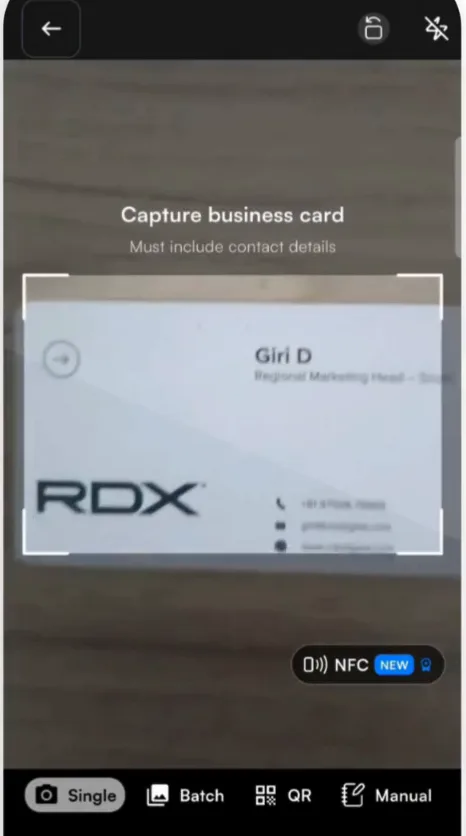
- Tap + to open the scanner.
- Turn on NFC on the scan screen.
- Hold the NFC business card or NFC event badge to the back of your phone. Habsy reads the contact and saves it.
Share your card by tapping phones
- Open the QR tab and tap Tap to Share via NFC.
- Bring the other person's phone close to yours. Your digital card opens on their phone without scanning a QR code.
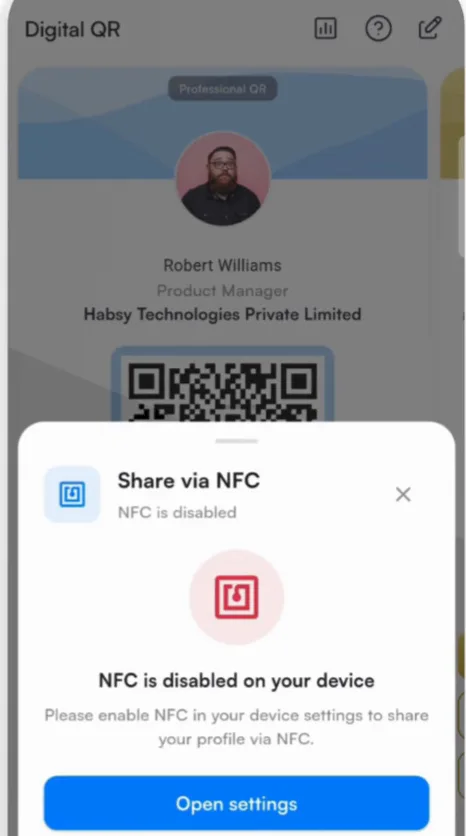
If NFC is turned off
Habsy shows NFC is disabled on your device. Tap Open settings, turn on NFC in your phone's settings, return to Habsy and tap I have enabled NFC.
On iPhone
An iPhone can read NFC business cards and badges. Sharing your own card by tapping phones works from Android only. On iPhone, share your card with its QR code or link instead. See Share your digital card.
Good to know
NFC sharing works between phones. Habsy does not write your profile onto a blank NFC card.
Related articles
Still need help?
Email us with your account email and a short description of the issue. We reply within 1 to 2 business days.