


Create email templates
Write reusable follow-up emails, with AI if you like, and personalize them with variables.
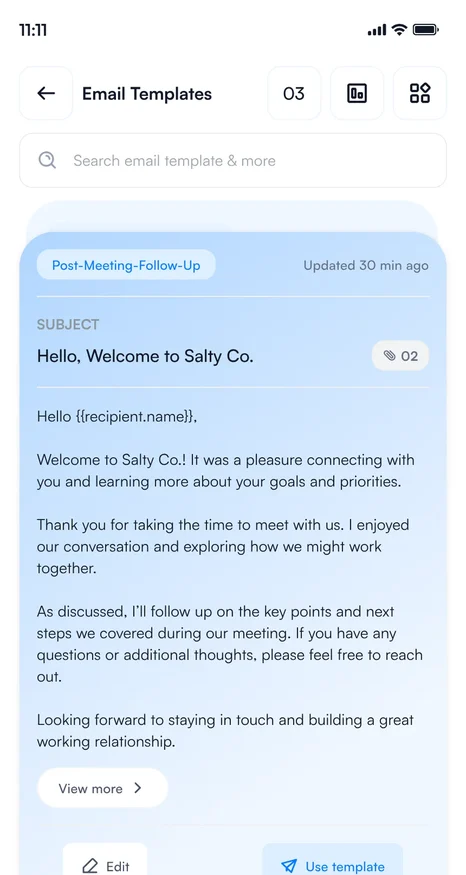
Templates let you send the same well-written follow-up to every contact, personalized with their name and company.
Create a template
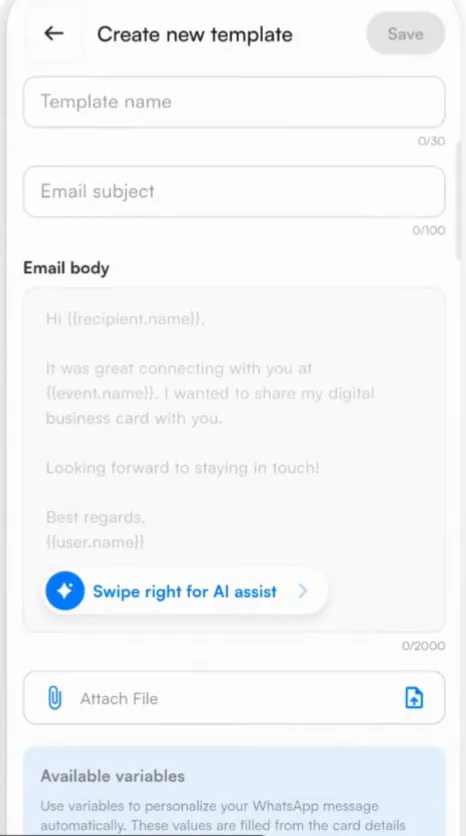
- Go to Settings and tap Email Templates, then +.
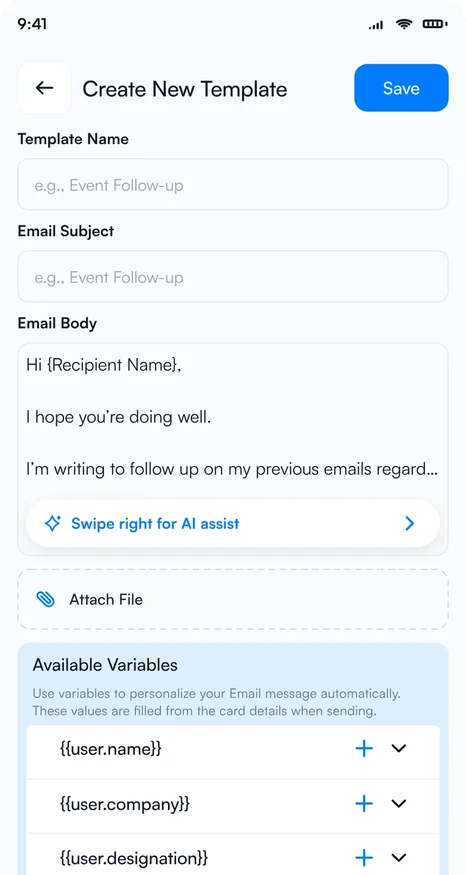
- Give the template a name and an email subject.
- Write the email body, or let AI write it: swipe right on AI assist, describe the email you need, and tap Generate.
- Adjust the AI draft with Formalize, Elaborate or Shorten, then tap Insert.
- Add variables from Available variables so each email is personal, and attach a file such as a brochure if you need one.
- Tap Save.
Variables
Variables are filled in from each contact and from your profile when the email is sent.
| {{recipient.name}} | The contact's name |
|---|---|
| {{recipient.company}} | The contact's company |
| {{recipient.designation}} | The contact's job title |
| {{user.name}} | Your name |
| {{user.company}} | Your company |
| {{user.designation}} | Your job title |
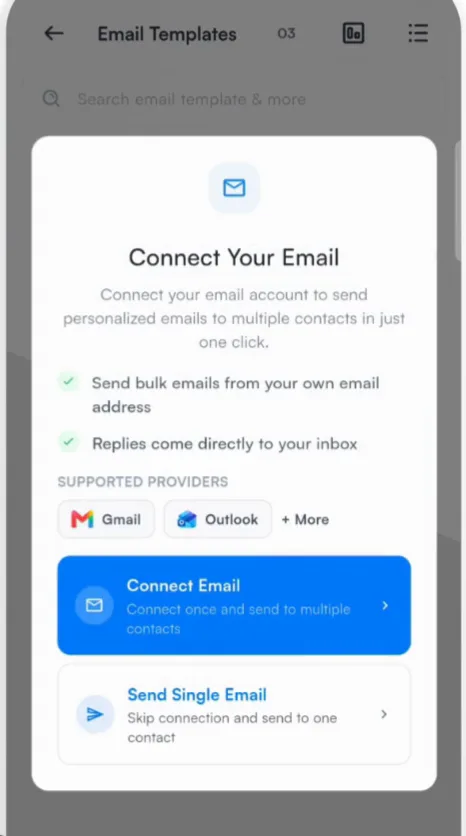
Send from your own email address
To send templates from your own address, and to send to several contacts at once, connect your email account first. Habsy shows Connect Your Email the first time you need it. See Connect your email account.
See how your emails perform
Tap the analytics icon on the Email Templates screen to open Email Analytics, which tracks emails that are processing, sent and failed.
Write one template per event, such as "HIMSS follow-up", and name the event in the subject. People remember where they met you.
Related articles
Still need help?
Email us with your account email and a short description of the issue. We reply within 1 to 2 business days.