


Follow up with one contact
Send an email or WhatsApp message from a template, written by AI or from scratch.
In this article
Send an email
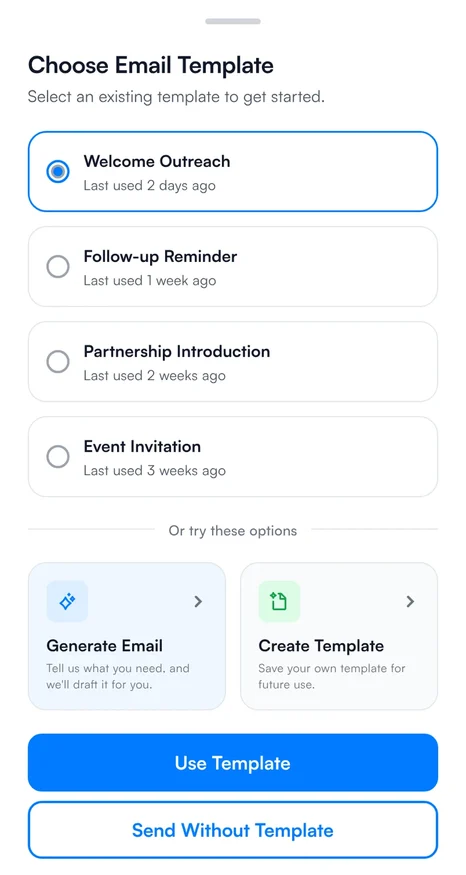
- On Home, tap the email icon on the contact's row, or open the contact and tap their email address.
- In Choose Email Template, pick a template, or choose Generate with AI to write a prompt and let AI draft the email, or Create from scratch. You can also send without a template.
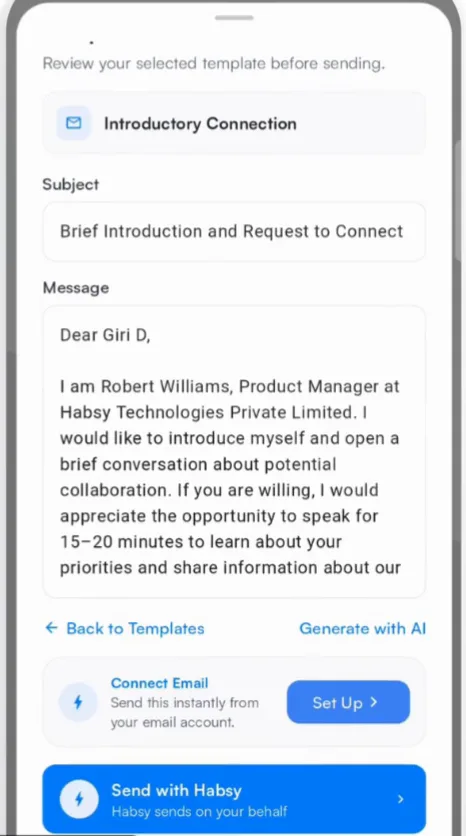
- Tap Use template. The Template Preview shows the subject and message with the contact's details filled in. Edit anything you want.
- Choose how to send:
- Connect Email sends it straight away from your own email account.
- Send with Habsy sends it on your behalf.
- Open Email opens it in your email app so you can send it yourself.
Send a WhatsApp message, or call
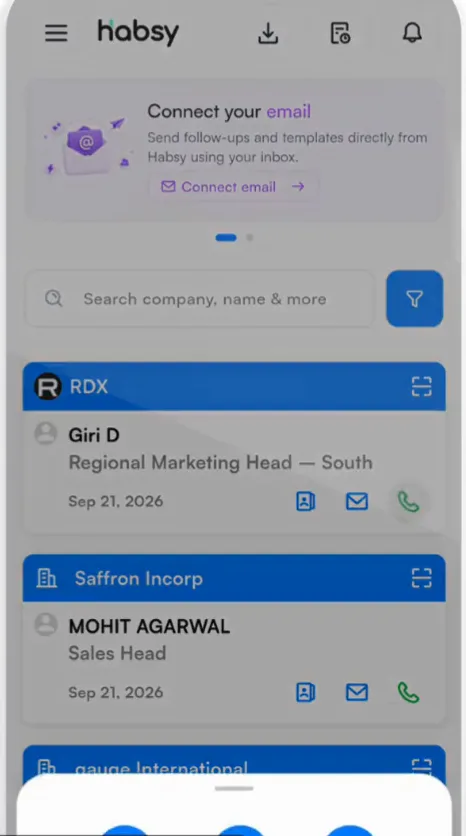
- On Home, tap the phone icon on the contact's row and choose WhatsApp, Call or Message.
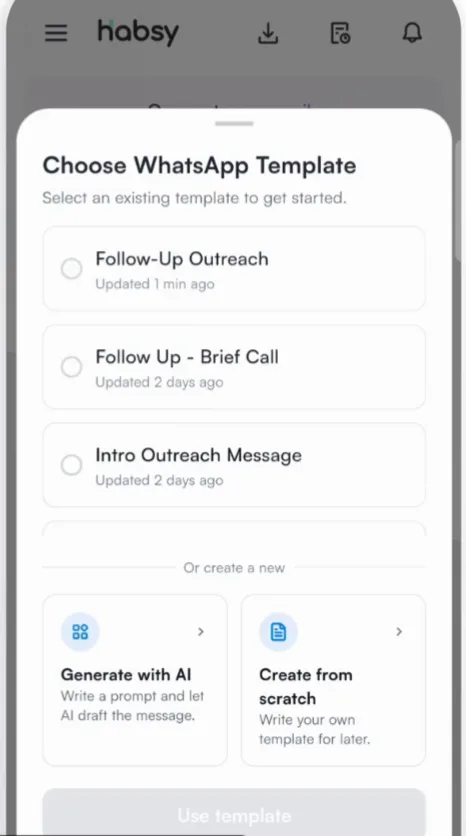
- For WhatsApp, pick a template in Choose WhatsApp Template, or write one with AI or from scratch.
- With a connected WhatsApp Business account, the message goes out through it. Without one, it opens in WhatsApp for you to send.
Good to know
AI-written messages are free. Saved templates and sending from a connected account are part of Habsy Plus.
Related articles
Send to several contacts at onceFollowing upCreate email templatesFollowing upWrite a follow-up with AIFollowing up
Still need help?
Email us with your account email and a short description of the issue. We reply within 1 to 2 business days.