


Connect your CRM and Calendly on Habsy Platform
Sync contacts to your CRM, push your existing contacts, and add Calendly booking links.
Open Integrations to connect the tools your team uses. Email sending is set up here too, the same way as in Email Automation.
Connect your CRM
Under CRM Connections, click Connect on your CRM: Zoho CRM, Odoo, HubSpot, Salesforce, Dynamics 365 Sales or Zapier. Google Contacts and Microsoft Exchange are listed here too.
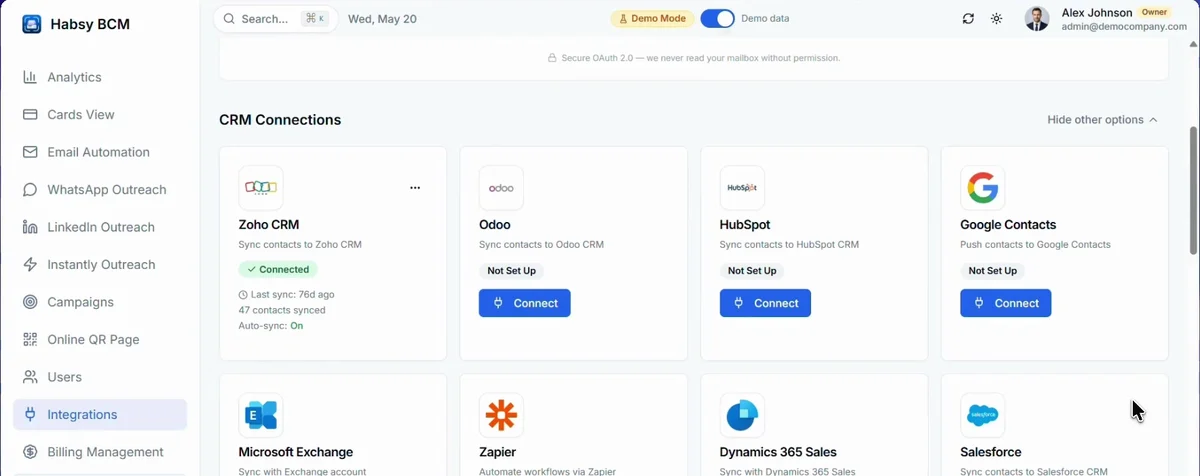
- Click Connect and sign in to your CRM.
- Habsy maps its fields to your CRM's fields automatically. Check the mapping and confirm it.
- Turn on auto sync. New contacts then go to your CRM as your team saves them.
- To send the contacts you already have, click the button that appears to push your existing contacts.
A connected CRM shows when it last synced, how many contacts were synced and whether auto sync is on.
Sync is one-way, from Habsy to your CRM. Two-way sync and custom CRM integrations are available on request.
Connect Calendly
Under Meeting Scheduling, click Connect Calendly. Your booking link then shows on your QR page and in your emails, so prospects can book a meeting with you straight away.
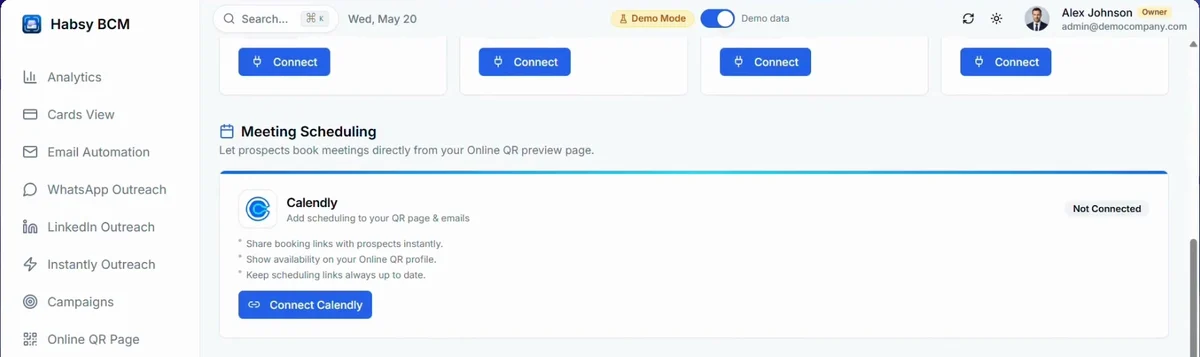
Need a tool that is not listed? Tell us at the bottom of Integrations, under Tell us which integrations you want next.
Related articles
Still need help?
Email us with your account email and a short description of the issue. We reply within 1 to 2 business days.