


Connect Habsy to your tools
An overview of the email, calendar, contacts, CRM and WhatsApp integrations.
Go to Settings and tap Integrations. Each tile opens a group of integrations, and each integration has a Connect button.
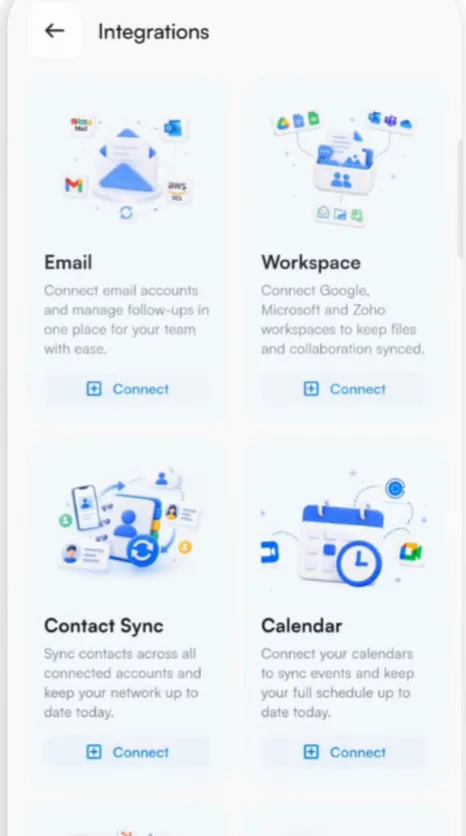
| Gmail, Outlook, Zoho Mail and Amazon SES. Send follow-ups and templates from your own address. Connect your email | |
| Workspace | Google Workspace, Zoho Workspace and Microsoft 365, to keep contacts, calendar and email in sync. Free, with no Habsy Plus needed. |
| Contact Sync | Google Contacts and Outlook Contacts. Contacts and calendar sync |
| Calendar | Google, Outlook and Zoho calendars. |
| CRM | Salesforce, HubSpot, Zoho CRM, Dynamics 365, Odoo and Zapier, among 10+ CRMs, plus Microsoft Exchange for contacts and calendar. Connect your CRM |
| Send messages and templates through your WhatsApp Business account. Connect WhatsApp |
Need another integration?
At the bottom of Integrations, tap Contact Us under Need help? to request one. Habsy reviews each request and lets you know when it is live. Custom CRM integrations are available on request.
Related articles
Connect your email accountExport and integrationsConnect your CRMExport and integrationsSync with your phone contacts and calendarExport and integrationsConnect WhatsAppExport and integrations
Still need help?
Email us with your account email and a short description of the issue. We reply within 1 to 2 business days.