


Send to several contacts at once
Select contacts on Home and send a personalized email or WhatsApp message to all of them.
After an event, select the contacts you want to reach and send everyone a personalized message in one go.
- On Home, press and hold a contact to start selecting. Tap more contacts, or tap Select All.
- In the bar at the bottom, choose email or WhatsApp.
- Choose a template. Habsy fills in each contact's details.
- Send. Each contact gets their own message.
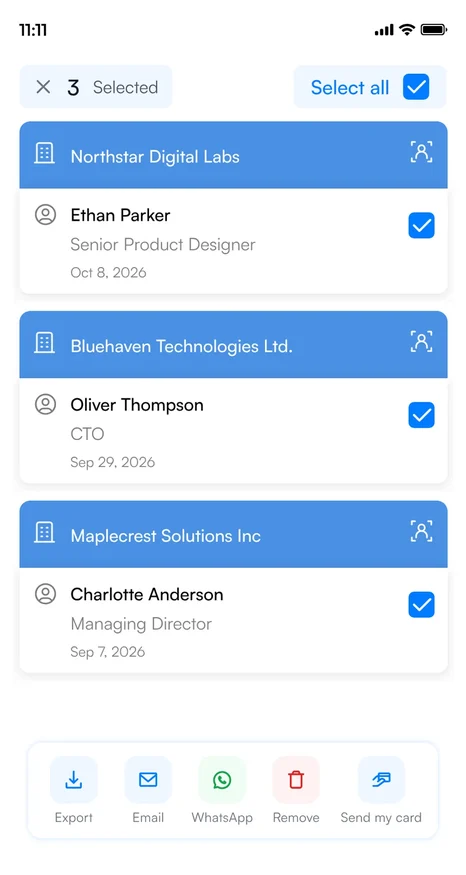
The same bar also lets you export the selected contacts, send them your card or move them to another category.
Before you send
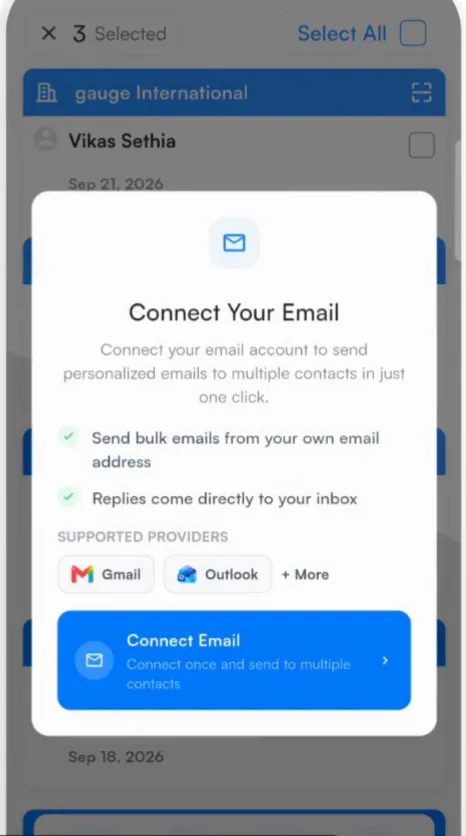
- Bulk email needs a connected email account, and bulk WhatsApp needs a connected WhatsApp Business account.
- Filter Home first, for example by the event's category, so you only select the right people.
Related articles
Create email templatesFollowing upCreate WhatsApp templatesFollowing upSend your digital card to contactsFollowing up
Still need help?
Email us with your account email and a short description of the issue. We reply within 1 to 2 business days.